Incidents your team can act on
Turn Smart Alarm and base warnings into Discord and web alerts with acknowledgement, escalation, false-alarm, and defended outcomes.
WipeWire shows when your base needs attention, helps your team coordinate the response, and keeps critical Rust+ controls in one place.
ORGANIZED POWER
Start with a reliable base and team pulse. Add Discord, device control, maps, replay, and advanced policies only when your team needs them.
Turn Smart Alarm and base warnings into Discord and web alerts with acknowledgement, escalation, false-alarm, and defended outcomes.
Monitor storage and upkeep, control switches, configure alarms, and keep an audit trail of every team change.
Follow teammates on the procedural map, record movement, review full trails, measure routes, and save useful wipe recordings.
Read and send available team chat from the web or Discord and use the same supported WipeWire commands in game.
Install with Discord’s server picker, choose a channel, and control each event, severity threshold, and mass mention.
Use encrypted connection contributors, role-aware device permissions, automatic recovery, and clear connection freshness across your team.
INSIDE WIPEWIRE
These are product views, not stock mockups: map context, device guardrails, and delivery choices stay private to your team.
LIVE TEAM MAP
See the latest team positions, follow a teammate, measure a route, and keep planning marks separate from live operations.
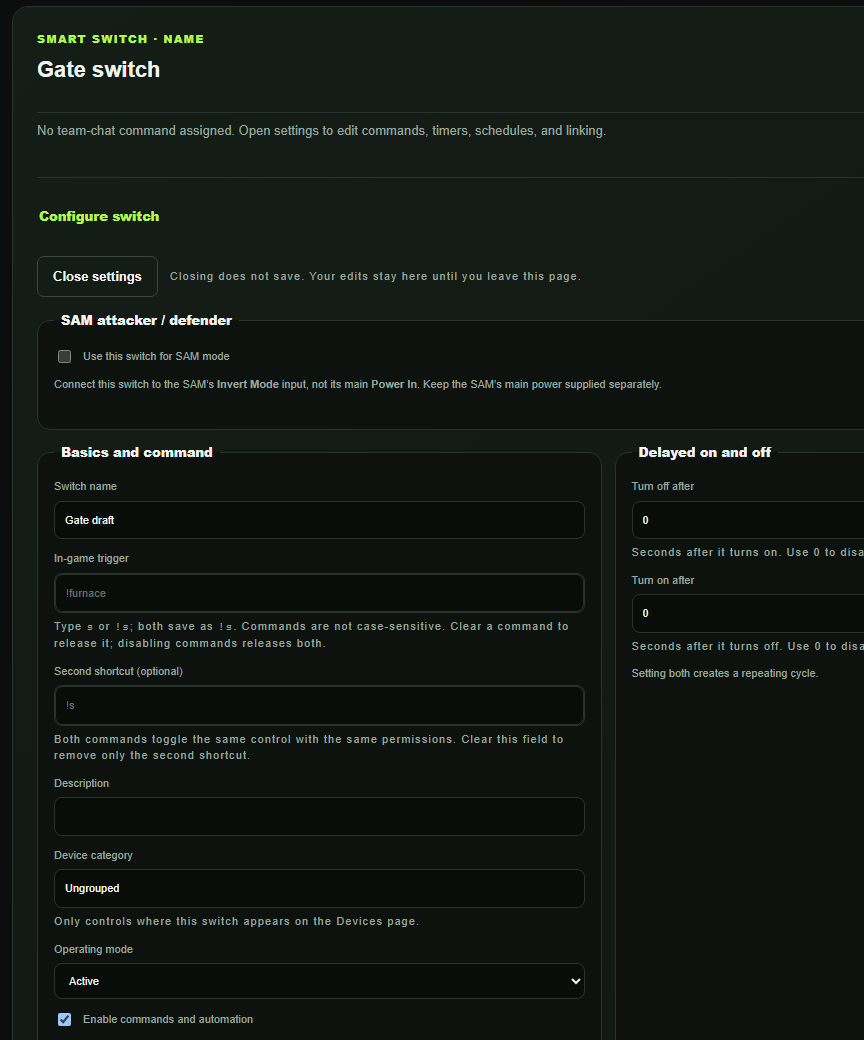
SMART SWITCH SETUP
WHAT YOU CONTROL
WipeWire gives your team a clear setup path: pair Rust+, select the connected devices you want to manage, then test Discord delivery before enabling alerts.
SETUP GUIDE
WipeWire does not take your Steam password or Steam Guard code. Authorization stays on the official pages, and your team chooses the server, devices, and Discord delivery it wants to use.
Open guided setup →QUICK SETUP
WipeWire uses official Steam and Discord authorization screens. We never ask for your Steam password.
Create or join your teamUse an invite code when your group already has a WipeWire workspace.
Pair Rust+Signed-in testers can download the Chrome/Edge package now; one-click store listings are still pending.
Choose your operationsConnect Discord, choose its alert channel, send the labeled test, and enable only the alerts your team wants.
YOUR WIPE, WIRED
Create your private command center and connect your first Rust server.